











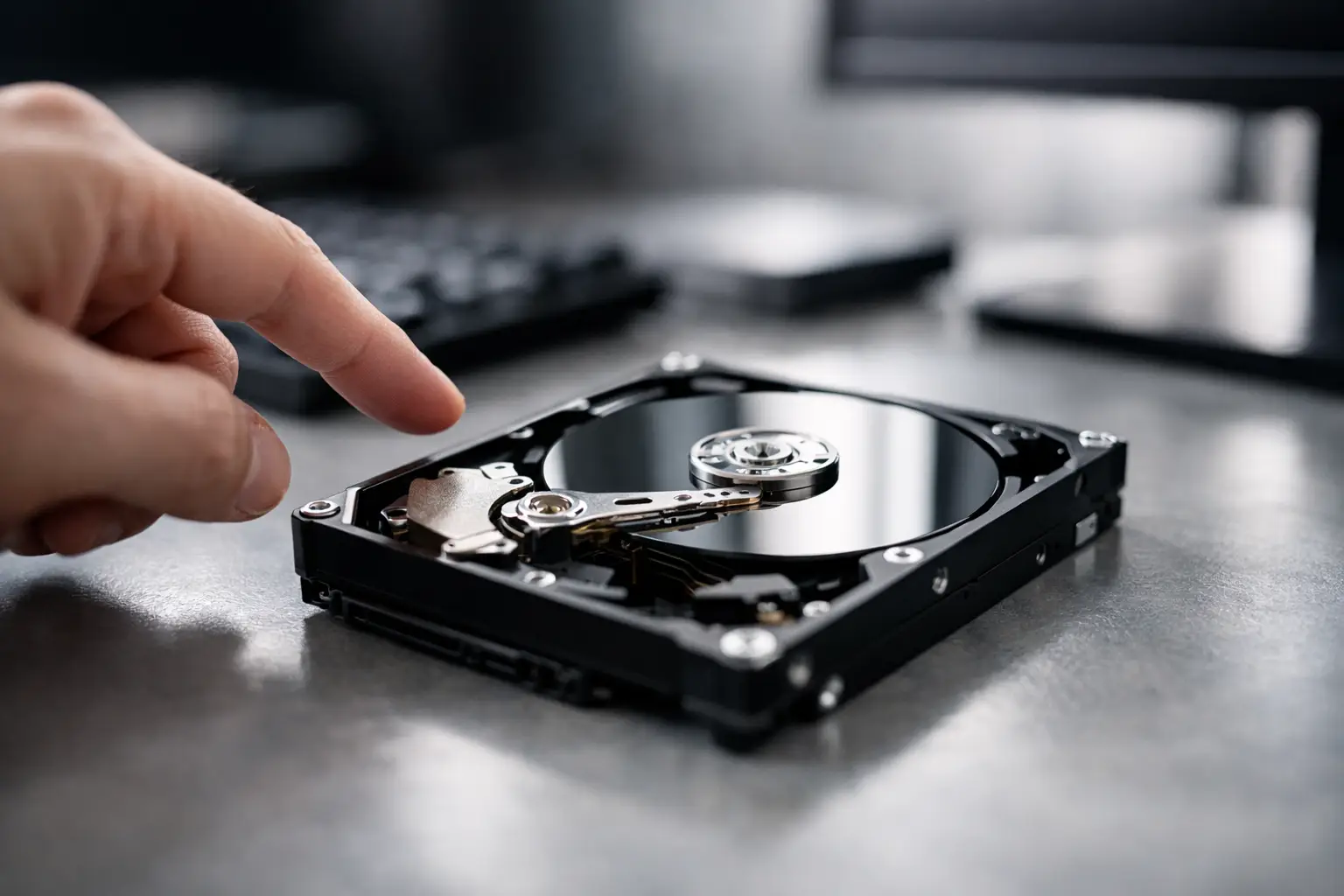
That sharp, repetitive click from a hard drive tends to stop people in their tracks - and for good reason. If you are asking why is my hard drive clicking, the short answer is that the drive is usually struggling to read or position its internal components correctly. In many cases, it is a mechanical fault, and every extra power cycle can make the situation worse.
A clicking hard drive is not the same as a healthy drive making its normal operating sounds. Traditional hard disk drives do make some low-level spinning and movement noise. What worries recovery specialists is a repeated, unusual click, especially if the drive is also slow to appear, disappears from the computer, freezes file access, or is no longer detected at all.
Why is my hard drive clicking in the first place?
Inside a hard drive are spinning platters and very delicate read/write heads. Those heads move across the platter surface to access your data. When something interferes with that process, the drive may keep trying to reset the heads, re-seek their position, or initialise properly. That repeated failed action is often what produces the clicking sound many people describe as the click of death.
The cause is not always identical from one case to the next. Sometimes the heads are damaged. Sometimes the platter surface has developed unreadable areas. Sometimes the spindle motor is struggling, or the firmware that controls drive behaviour has become corrupted. Power issues can also trigger symptoms that sound mechanical even when the root problem sits elsewhere.
This is why clicking should be treated as a warning sign, not a diagnosis on its own. The sound tells you the drive is in trouble. It does not tell you exactly how recoverable it is without proper assessment.
Common causes of a clicking hard drive
Head assembly failure
One of the most common causes is a fault in the head assembly. The heads may be damaged from wear, a physical knock, overheating, or contamination inside the drive. If the heads cannot read service information from the platters, the drive may repeatedly attempt to recalibrate and click each time it fails.
This matters because failing heads can also damage platter surfaces. A drive that starts as a recoverable job can become far more difficult if the heads continue scraping or misreading during repeated use.
Bad sectors or platter damage
Hard drives store data magnetically on platter surfaces. If enough sectors become unreadable, or if there is physical media damage, the drive can struggle to complete basic read operations. Clicking may follow because the heads are being repositioned again and again while the drive tries to access critical areas.
Logical corruption alone does not usually cause strong mechanical clicking. When the sound is obvious and repetitive, physical media issues become more likely.
Firmware or service area problems
Hard drives rely on internal firmware and service area data to initialise correctly. If this information becomes corrupted, the drive may fail during startup and begin clicking as it retries. To the user, it can look like a dead drive, but from a recovery perspective this type of fault can be very different from severe platter damage.
That distinction matters because the safest recovery method depends on the exact failure mode. The wrong DIY approach can turn a firmware issue into a more serious physical one.
Power or PCB faults
A damaged PCB, unstable power supply, or faulty USB enclosure can also create symptoms that mimic a failing drive. For example, an external hard drive may click because it is not receiving clean, consistent power. In other cases, the issue is the enclosure rather than the drive mechanism itself.
This is one of the few areas where the answer can be less catastrophic than it sounds. Even so, random part swapping is risky, particularly with modern drives that store adaptive data tied to the original board.
Shock or drop damage
If the drive was dropped, bumped, or moved while running, clicking is a major concern. Portable external hard drives are especially vulnerable because they are often handled while powered on. A small knock at the wrong moment can misalign or damage heads, mark platter surfaces, or prevent the drive from spinning up correctly.
When clicking starts immediately after impact, there is a strong chance of internal mechanical damage.
What you should do straight away
If the drive contains important files, stop using it. That is the most useful first step. Do not keep restarting the computer to see if it magically appears on the desktop. Do not run scan-and-fix tools. Do not copy files off slowly while it keeps clicking if the data actually matters.
A drive that is mechanically unstable can deteriorate very quickly. Every new attempt forces the heads and platters through another cycle of stress. Sometimes people get a brief window where the drive mounts again, but that window can close for good after one more restart.
If it is an external hard drive, disconnect it safely and leave it powered off. If the data is low value and you are prepared to lose it, basic checks such as trying a different cable or power supply may be reasonable. If the data is important, family photos, business records, creative work, client files, or anything operationally critical, the safer path is professional assessment before more attempts are made.
What not to do with a clicking drive
The biggest mistake is treating a clicking hard drive like ordinary file corruption. Software cannot repair damaged heads or scratched platters. In fact, recovery software often makes things worse because it forces the drive to read unstable areas continuously.
It is also a bad idea to open the drive yourself. Hard drives need cleanroom conditions for internal work. Opening one on a desk, kitchen table, or workbench exposes the platters to dust and contamination that can permanently reduce recovery chances.
Freezer myths still circulate as well. Putting a hard drive in the freezer is not a legitimate recovery method. At best, it does nothing useful. At worst, it introduces condensation and extra damage.
PCB replacement videos online can be misleading too. Modern hard drives are not simple plug-and-play devices. Matching board numbers is often not enough, and transferring ROM or adaptive data incorrectly can complicate recovery.
Can a clicking hard drive still be recovered?
Often, yes - but the outcome depends on what has actually failed and how much has happened since the clicking started. A drive that was powered down quickly after the first signs of trouble generally offers better recovery prospects than one that has been restarted dozens of times.
Mechanical failures, firmware faults, and media issues all sit on a spectrum. Some cases allow for substantial data recovery. Others involve heavy platter damage where only partial recovery is possible. That is why honest assessment matters more than broad promises.
In a professional recovery environment, engineers can image unstable drives using specialised hardware that controls read behaviour far more carefully than consumer software can. Where internal repairs are needed, those are performed in the appropriate controlled setting. The goal is not to make the original drive trustworthy again. The goal is to recover the data with the least possible additional damage.
When to call a professional data recovery specialist
If the drive is clicking and not detected, clicking after being dropped, clicking and causing the computer to freeze, or clicking while holding irreplaceable data, professional help is the sensible next step. The same applies if the drive is part of a business setup, a NAS, or any environment where downtime and data loss have wider consequences.
For Canberra clients and customers across Australia, this is where a specialist service such as RecoveryGeeks can assess the device properly and advise on the safest recovery path. That matters because the right first move can preserve recovery options, while the wrong one can narrow them quickly.
A clicking hard drive is one of those problems where restraint usually helps more than persistence. If the sound has started, your best move is to stop experimenting, protect the device from further use, and get informed advice before the damage spreads. Your data has the best chance when the drive gets fewer chances to fail.
