











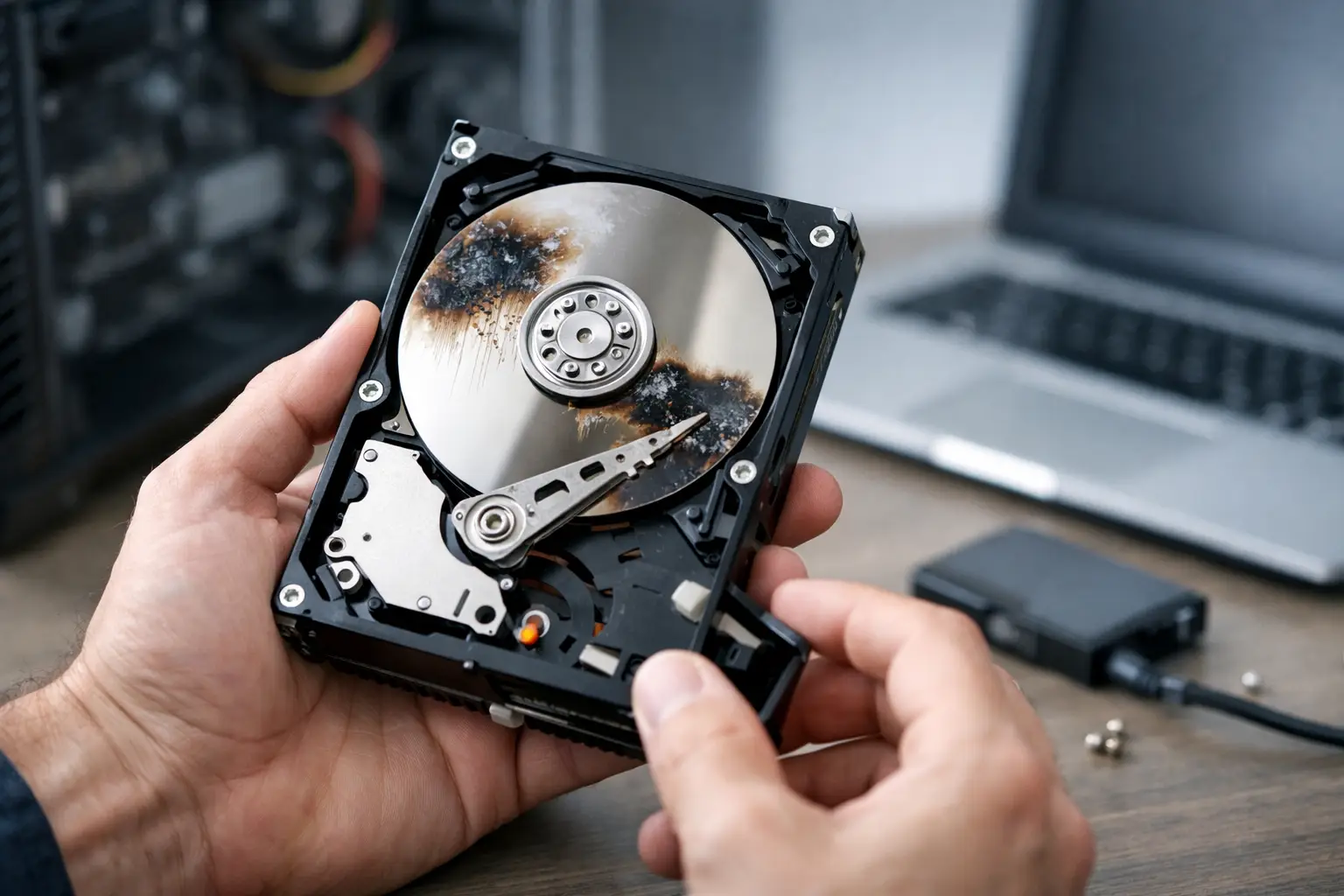
A drive usually gives you one chance to make the right call. If you are asking when should you stop using failed drive hardware, the answer is often earlier than people think. The moment a hard drive, SSD, USB drive, NAS, or RAID member starts behaving abnormally, continued use can turn a recoverable problem into permanent data loss.
That does not mean every slow drive is seconds away from total failure. It does mean strange symptoms should be treated as a data risk, not a minor inconvenience. The key is knowing which signs mean stop immediately, which situations allow limited action, and why well-meant DIY attempts can make recovery harder.
When should you stop using a failed drive straight away?
There are some situations where the safest move is to power the device down and leave it alone. If a hard drive is clicking, grinding, beeping, or repeatedly spinning up and down, stop using it immediately. Those noises can point to internal mechanical damage, and every extra spin may worsen platter or head damage.
The same applies if the drive disappears from your computer, asks to be formatted, becomes suddenly very slow, or causes your system to freeze during access. These symptoms can reflect serious file system corruption, firmware issues, failing sectors, or controller problems. Continuing to open folders, copy files, or reboot repeatedly can stress the device and reduce the chances of successful recovery.
With SSDs, the warning signs are a little different. SSDs usually fail without the classic clicking sounds of mechanical drives, but sudden read-only mode, missing partitions, error messages, files that will not open, or complete non-detection are all reasons to stop. SSDs can degrade quickly once their controller or NAND management starts failing.
If the device has suffered physical damage, water exposure, heat damage, or an electrical surge, do not test it multiple times to see if it comes back. That is one of the most common ways a borderline recoverable device becomes much worse.
The biggest mistake after drive failure
The most damaging assumption is that if the drive still works a little, it is safe to keep using. In practice, partial function can be the most dangerous stage. A drive may still mount, show folders, or copy a few files while failing underneath.
This is where people often lose the most data. They keep trying to access everything, run software scans, restart the machine, swap cables repeatedly, or attempt repairs found in forums. Each action adds wear, writes new data, or changes the logical state of the device. On a failing hard drive, repeated reads can push weak heads or damaged media past the point of recovery. On an SSD, power cycling and further write activity can complicate controller-level issues.
If the data matters, the goal is not to make the drive usable again. The goal is to preserve what is left and avoid making the condition worse.
Signs you should stop using the drive, even if it still opens
A failed drive is not always completely dead. Sometimes it keeps functioning just enough to create false confidence. If any of the following are happening, stop using it unless you are performing a deliberate, low-risk data triage:
- Files open slowly or inconsistently
- Folders take a long time to load
- The system freezes when the drive is connected
- You hear new sounds from a hard drive
- You see CRC errors, I/O errors, or file corruption
- The drive disconnects and reconnects by itself
- SMART warnings appear
- The device asks to be initialised or formatted
One symptom on its own does not always confirm catastrophic failure. The pattern matters. A drive that is merely low on space behaves differently from one that is degrading at the hardware level. But once the symptoms affect access reliability, caution should take priority over convenience.
Is it ever safe to keep using a failing drive?
Sometimes, but only in a narrow sense. If the drive is stable enough to detect normally and you have no signs of mechanical distress, there may be a short window to copy the most important files first. That is not the same as continuing to use the drive for normal work.
Think of it as emergency extraction, not ongoing use. Open as little as possible. Prioritise irreplaceable items such as business records, project files, family photos, video footage, accounting data, and client documents. Leave large low-value files until later, or not at all.
If the drive starts slowing further, disconnecting, making unusual noise, or triggering errors during this process, stop. Pushing on because you are halfway through a copy job can be the moment it drops out entirely.
For business storage, the stakes are often higher. A degrading NAS or RAID can tempt teams to keep the system online while they troubleshoot. That can be risky if multiple drives are stressed, rebuilds are attempted on unstable members, or the array is already degraded. In these cases, continued operation may put the whole volume at risk.
When should you stop using failed drive devices in business environments?
In a business setting, the answer is usually as soon as failure indicators appear and before ad hoc fixes begin. If a server drive drops from a RAID, a NAS reports bad sectors, shared folders become inaccessible, or a rebuild starts after a suspect drive event, pause and assess carefully.
This is where urgency and restraint need to work together. The pressure to restore operations quickly is real, but rushed rebuilds, firmware updates, or drive swaps performed without a clear recovery plan can do more damage than the original failure. If the data is operationally critical, stop using the affected system beyond what is necessary to preserve the current state and seek specialist advice.
That is especially true where accounting systems, legal records, architectural files, surveillance footage, medical data, or production assets are involved. Downtime is painful. Permanent loss is usually worse.
Why DIY recovery can make things worse
There is a place for simple first checks. Try a different cable, power source, or port if the issue could plainly be external. If a USB enclosure has failed but the actual drive is healthy, that can matter. Beyond that, caution is warranted.
Software recovery tools are often used too early and on the wrong device condition. They can be useful in cases of deletion or mild logical loss on stable media. They are a poor first move on physically failing drives, unstable SSDs, or storage producing read errors and disconnections. Intensive scanning forces the device to read problem areas repeatedly, which can accelerate failure.
Opening a hard drive outside a clean environment is even riskier. Dust contamination, head damage, and platter scoring can happen quickly. Freezer tricks, tapping drives, or repeated reconnection attempts are not recovery methods. They are gambles with poor odds.
What to do instead of continuing to use it
Start by stopping all unnecessary activity. Do not install software onto the affected drive. Do not save new files to it. Do not run repair utilities unless you are certain the issue is purely logical and the data is already protected elsewhere.
If the device still detects and the data is critical, disconnect it and document what happened. Note the symptoms, any noises, whether the drive was dropped, and what messages appeared. This helps guide the next step.
If you need to attempt any access at all, do it once, carefully, and only for priority files. If anything worsens, stop immediately. For physically damaged, clicking, non-detected, burnt, water-damaged, or RAID-related cases, professional assessment is usually the safer path from the outset.
RecoveryGeeks regularly sees cases where the original problem was manageable, but repeated DIY attempts made the job harder. Early action does not always mean immediate recovery work. Sometimes it simply means knowing when to stop.
The real threshold: stop when the data matters more than the hardware
People often frame the decision around whether the drive is still usable. A better question is whether the data is important enough that you cannot afford to make the situation worse. If the answer is yes, stop using the drive at the first credible sign of failure.
That applies whether it is a home external drive holding years of family photos, a photographer’s memory card backup, a tradie’s job records on a portable SSD, or a business NAS supporting daily operations. Storage devices can sometimes be replaced cheaply. Data often cannot.
The helpful rule is simple. If the drive is noisy, unstable, unreadable, corrupted, intermittently detected, physically damaged, or showing signs of internal failure, stop using it. The sooner you make that call, the more recovery options usually remain.
When a drive starts failing, patience is not passive. It is often the most practical way to protect what still can be saved.
