











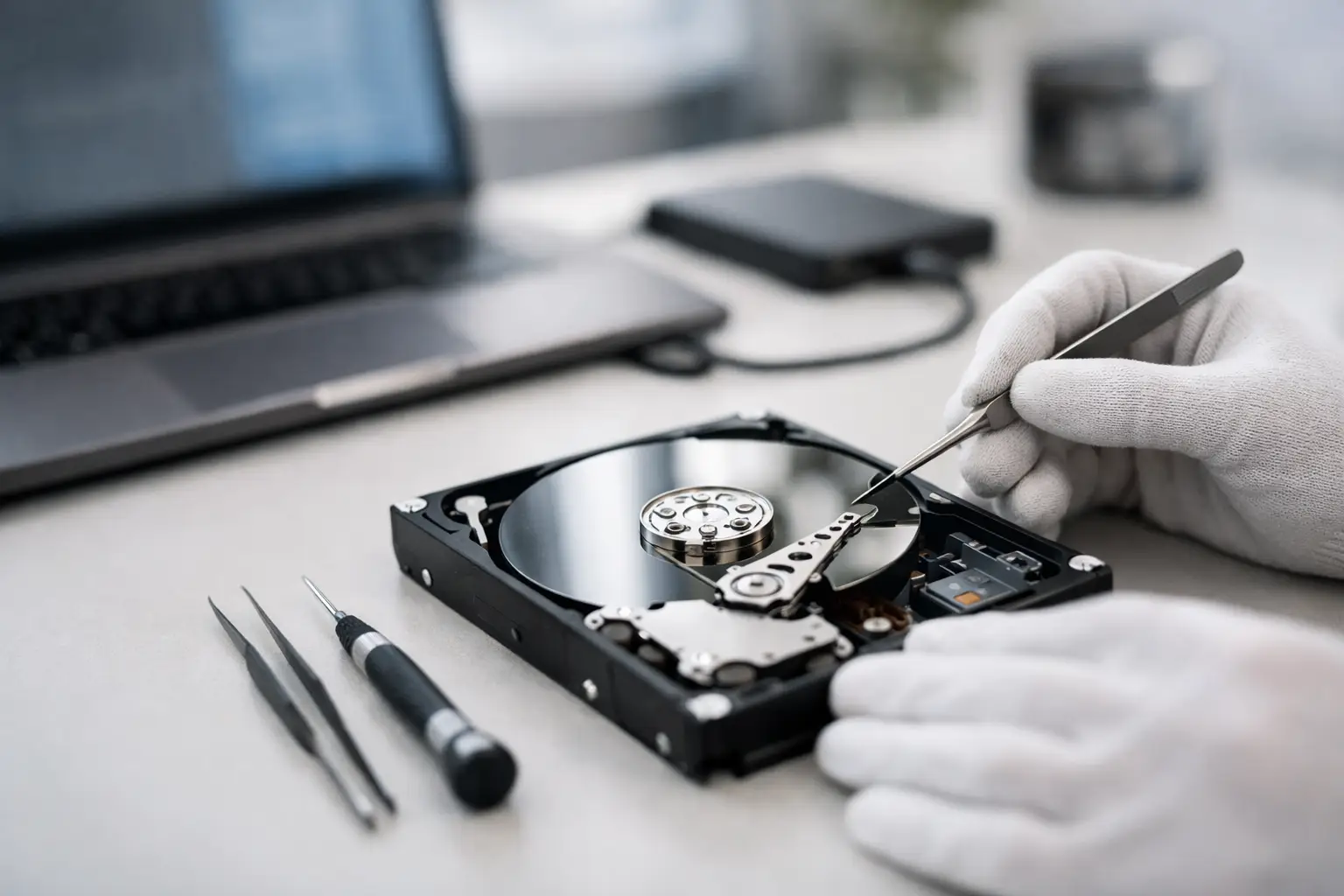
A hard drive starts clicking, vanishes from your computer, or suddenly asks to be formatted. That is usually the moment people search what is hard drive data recovery, and it often happens when the files on that drive are the only copy that matters. Family photos, business records, design work, accounting data, or years of archived projects can all become inaccessible in seconds.
Hard drive data recovery is the process of retrieving files from a hard disk drive that can no longer be accessed normally. The problem might be physical, such as damaged read/write heads or a failed motor, or logical, such as file system corruption, accidental deletion, malware damage, or a partition issue. The goal is not to repair the drive for ongoing use. The goal is to recover the data safely and transfer it to stable storage.
What is hard drive data recovery in practical terms?
In practical terms, hard drive data recovery means diagnosing why a drive has become inaccessible and using the right method to extract the data without making the condition worse. Sometimes that involves software-based recovery from a drive that is still mechanically healthy. In more serious cases, it involves specialist hardware, donor parts, controlled handling procedures, and forensic-level imaging techniques.
This distinction matters because not every failed hard drive needs the same response. A drive that was accidentally formatted is a very different job from a drive that has been dropped or is making a scraping noise. Treating both situations the same can reduce the chance of a successful recovery.
A professional recovery process usually starts with assessment. The technician looks at the symptoms, the drive type, the failure pattern, and whether the problem is logical, electrical, firmware-related, or mechanical. From there, the safest recovery path is chosen.
Why hard drives fail
Hard disk drives are mechanical devices. Inside the enclosure are spinning platters, moving heads, firmware components, and sensitive electronic parts. That makes them vulnerable in ways SSDs are not, even though SSDs have their own failure patterns.
A hard drive may fail because of age, overheating, impact, power surges, bad sectors, firmware corruption, or internal wear. Some failures build up gradually, with slow access times and recurring file errors. Others are immediate, such as a drive that stops spinning after a power event or one that develops head damage after being knocked while in use.
There are also cases where the drive itself is physically fine, but the data becomes inaccessible because the file system is damaged, the partition table is lost, or the operating system can no longer mount the volume. To the user, all of these situations can look the same: the files are gone. To a recovery specialist, the cause determines the method.
The main types of hard drive data loss
The simplest category is logical data loss. This includes deleted files, formatted drives, corrupted directories, damaged partitions, and software-related issues. If the drive hardware is still stable, the data may be recoverable by creating a sector-by-sector image and working from that copy rather than from the original drive.
The next category is electrical failure. A drive may show no power, fail to initialise, or disappear after a surge or faulty power supply. In some cases, the fault is isolated to the board. In others, the visible electrical issue is only part of a deeper internal problem.
Then there is firmware failure. Hard drives rely on service area data and internal firmware modules to identify correctly and access stored information. When firmware is damaged, the drive may report the wrong capacity, become stuck during startup, or fail to read user data consistently.
The most serious category is mechanical failure. This includes seized motors, failed heads, platter damage, or contamination caused by an internal breach. These jobs carry the highest risk and usually require specialist tools and controlled handling conditions.
How professional recovery works
A proper recovery is built around preserving the original media. That is why experienced technicians avoid unnecessary power cycles, repeated scans, or write activity on a failing drive. Every extra attempt can make degradation worse.
The first step is diagnosis. This identifies whether the drive can be stabilised enough for imaging or whether internal repair work is required before any read attempt is made. If the problem is logical, the recovery may focus on file system reconstruction and extracting intact data structures. If the issue is physical, the drive may need component-level work before imaging starts.
Imaging is a key stage. Rather than working on the original drive over and over, technicians try to capture a full or partial clone of the readable sectors onto stable media. This is especially important with drives that are deteriorating, because you may only get one good pass over critical areas.
Once an image is secured, the data can be reconstructed. That may involve rebuilding partitions, repairing file systems, extracting deleted file entries, or manually assembling damaged structures. The final step is verification and copying the recovered data to a healthy replacement device.
What is hard drive data recovery not?
It is not the same as standard IT support, and it is not the same as running consumer recovery software on every failed drive. General troubleshooting can help with cables, power issues, or operating system settings, but once a drive shows signs of internal failure, generic troubleshooting can become risky.
It is also not a repair service in the normal sense. Even if a technician temporarily restores enough function to read data, that does not mean the original drive is trustworthy afterwards. A recovered hard drive should not be treated as safe production storage.
This is where people often lose time. They keep rebooting, swapping enclosures, freezing the drive, or running multiple software tools in the hope that one more attempt will work. On a mechanically unstable drive, those attempts can reduce the amount of recoverable data.
Signs you may need professional help
If the drive is clicking, beeping, scraping, not spinning, not detected correctly, or causing the system to freeze, it is wise to stop using it straight away. The same applies if folders have vanished, files open with errors, or the computer asks to initialise or format the drive unexpectedly.
There is some nuance here. If a healthy drive has simply had files deleted and nothing new has been written to it, software recovery may be possible. But if the drive is unstable, noisy, intermittently disconnecting, or showing SMART warnings alongside access problems, professional handling is usually the safer option.
For businesses, the threshold for escalation is even lower. If the drive contains accounting systems, client records, project files, CCTV archives, or part of a wider NAS or RAID environment, the cost of experimentation often outweighs the cost of expert recovery.
Why DIY recovery sometimes works - and sometimes makes things worse
DIY tools can be useful for straightforward logical issues on healthy hardware. If the drive is stable and the data loss is recent, there may be a reasonable chance of recovery. The key condition is that the drive must not have physical symptoms.
Where people get into trouble is using software on a drive that is already failing mechanically or electrically. Recovery software places stress on the drive by forcing repeated reads, and a weak head assembly or degrading platter surface may not tolerate that. What started as partial data loss can become complete unreadability.
Another common mistake is installing recovery software onto the same drive that lost the data. That can overwrite the very sectors you are trying to recover. The safest rule is simple: if the files matter and the drive is behaving abnormally, stop and get it assessed before doing more.
Recovery success depends on the failure type
No honest provider can promise a universal result before assessment. Success depends on what failed, how badly it failed, whether the drive has been tampered with, and whether critical data areas are still readable.
A logically damaged drive with intact hardware often has a stronger outlook than a drive with severe platter damage. A drive that was switched off after the first symptoms may be more recoverable than one that has been repeatedly powered on for days. Time matters, but the condition of the media matters more.
This is also why specialist experience matters. Recovering from a consumer USB hard drive is one thing. Recovering business data from a degraded multi-disk environment or from a drive with firmware faults is a different technical exercise altogether. RecoveryGeeks works with both everyday data loss cases and more complex storage failures where careful handling is critical.
When your hard drive fails, the real question is not whether the device can be made to behave for another day. It is whether the data can still be extracted safely. The sooner that question is handled properly, the better the chance of getting back what actually matters.
