











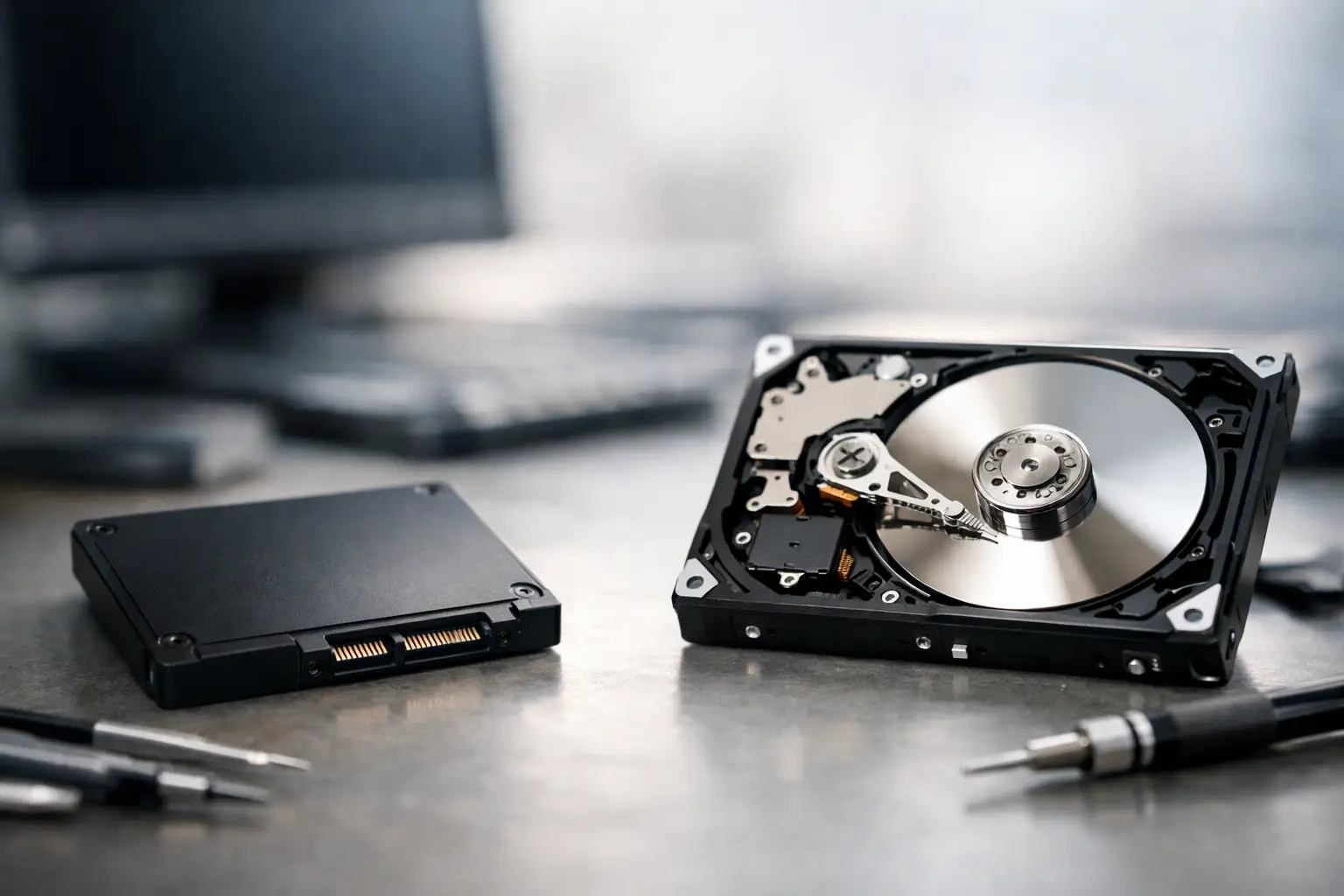
One storage device clicks, slows down, and gives you a bit of warning. Another can disappear from your system without much notice at all. That is the practical difference at the heart of ssd recovery vs hard drive recovery, and it matters when the files involved are family photos, client work, business records, or an entire project deadline.
For many people, both devices look the same from the outside. They store data, they plug into the same computer, and when they fail the result is still lost access. But the way data is written, stored, and erased on an SSD is very different from a traditional hard drive. Those differences affect how failures happen, how recoverable the data may be, and how urgently you should stop using the device.
SSD recovery vs hard drive recovery: the core difference
A hard drive stores data on spinning magnetic platters and reads it with moving heads. An SSD stores data in flash memory chips and has no moving parts. That sounds like a simple hardware distinction, but from a recovery perspective it changes almost everything.
With a hard drive, the most common failures are mechanical, electrical, or firmware-related. You might hear clicking, grinding, or repeated spin-up attempts. The drive may still appear briefly, read slowly, or partially respond. In many cases, data remains physically present on the platters even if the device itself is struggling to access it.
With an SSD, failure is usually tied to controller faults, firmware corruption, degraded NAND memory, power issues, or file system damage. Because SSDs manage data through wear levelling, rubbish collection, and TRIM, the information is not always sitting in a straightforward physical layout. Even when the memory chips are intact, reconstructing the data can be significantly more complex.
That is why SSD failure can feel more abrupt. A hard drive often deteriorates. An SSD can fail with little warning, especially after a power event, controller issue, or sudden firmware problem.
Why hard drive recovery is often more predictable
Traditional hard drives have been recovered professionally for decades, and the pathways are generally well understood. That does not mean every job is easy, but the failure patterns are often familiar.
If the issue is logical, such as accidental deletion, formatting, or corruption, recovery may be possible without opening the drive at all. If the issue is physical, the work may involve cleanroom procedures, donor parts, firmware access, or controlled imaging of unstable sectors. The key point is that the data on a hard drive usually remains magnetically stored until it is overwritten or the media itself is badly damaged.
This gives specialists more room to work with. A failing hard drive may still yield a partial image. Weak sectors can sometimes be approached carefully. Heads can be replaced in the right conditions. Firmware modules can be repaired or adapted. There are still no guarantees, but there is often a clearer forensic path.
For customers, this is why old external drives, desktop drives, and laptop hard drives can still be recoverable even after obvious failure symptoms. The noise may be alarming, but the data is not automatically gone.
Why SSD recovery can be harder than people expect
SSD recovery is often misunderstood because people assume no moving parts means no serious failure. In practice, SSDs are fast and durable for everyday use, but some failure modes are less forgiving when data recovery is needed.
One reason is the controller. The controller decides how data is written across the NAND chips, and that layout is not usually linear or human-readable. If the controller fails, the raw chip data may exist, but reconstructing it can require specialist knowledge of that exact architecture, firmware behaviour, and translation scheme.
Another reason is TRIM. When files are deleted on many SSD-based systems, TRIM may tell the drive those blocks are no longer needed. That can lead to data being internally cleared far sooner than on a hard drive. In real terms, this means a deleted file on an SSD may become unrecoverable much more quickly, even if the user has done very little since the deletion.
Wear levelling adds another complication. SSDs constantly move data around to spread write activity and extend device life. That is useful for performance and longevity, but it makes recovery work more complex because the data is not necessarily where a normal logical map suggests it should be.
So when clients compare ssd recovery vs hard drive recovery, the surprise is usually this: the newer, faster device is not always the easier one to recover.
Failure symptoms are different, and that changes your next step
A hard drive often signals trouble through sound or performance. Clicking, buzzing, repeated spin attempts, files taking ages to open, or the drive dropping in and out are all classic warning signs. If that happens, continued use can make the damage worse, especially if heads are failing or the platters are being scratched.
An SSD usually fails more quietly. The system may freeze, the drive may show the wrong capacity, the operating system may stop recognising it, or the device may not power up properly after a restart or outage. Because there is no mechanical noise, people often reboot repeatedly, swap cables, run repair tools, or keep trying to access the drive. That can be a problem, particularly if the drive is unstable and the data structure is deteriorating.
In both cases, the safest first move is the same: stop using the device as soon as data matters more than the hardware. Recovery success often depends on preserving the current state, not forcing the drive to behave.
Deleted files, formatted drives, and failed devices are not the same job
Not all recovery cases are equal, and this is where expectations should be realistic.
If you accidentally delete files from a hard drive and stop using it straight away, recovery prospects can be quite good. The same event on an SSD can be much less favourable because of TRIM. If the device has been formatted, a hard drive may still retain substantial recoverable data depending on what happened afterwards. On an SSD, the answer depends heavily on the operating system, file system, encryption, and whether TRIM has already done its work.
Where the device itself has failed, hard drives and SSDs both require specialist assessment, but for different reasons. Hard drives may need mechanical intervention. SSDs may need controller-level analysis, firmware repair, or chip-off processes. Neither should be treated as a DIY problem once the data is important.
What not to do with either device
The biggest mistakes are usually made in the first hour. People install recovery software onto the same drive, initialise a disk that suddenly appears unallocated, keep rebooting a failing system, or open a hard drive casing at home. Those actions can reduce the chance of success very quickly.
With SSDs, repeated use can trigger background processes that further alter the data. With hard drives, every extra spin-up can worsen mechanical damage. Generic repair tools also create risk because they are designed to make a file system usable again, not preserve evidence for professional recovery.
If the files are valuable, do not treat the device as a test case. Turn it off, disconnect it safely, and get it assessed before more changes occur.
Which one has better recovery odds?
It depends on the failure type, not just the device category.
Hard drives often have stronger recovery prospects in cases involving deletion, formatting, and many forms of hardware failure because the data tends to remain physically present in a more recoverable way. SSDs can still be recovered successfully, especially where the issue is firmware-related, electronic, or limited to logical corruption, but some scenarios are less forgiving because of TRIM, encryption, and controller complexity.
That does not mean hard drives are better devices overall. SSDs offer major advantages in speed, shock resistance, and day-to-day reliability. It simply means that from a specialist recovery viewpoint, hard drives often provide more workable pathways after failure.
For businesses, photographers, and anyone managing irreplaceable files, that distinction matters. Fast storage is useful. Recoverable storage after an incident is a different conversation.
When professional recovery makes the most sense
Professional help is worth considering as soon as the data has real value and the device is behaving abnormally. That includes clicking hard drives, SSDs that suddenly vanish, drives asking to be formatted, NAS volumes going offline, or external devices that mount but will not open properly.
An expert assessment can identify whether the problem is logical, electrical, firmware-based, or physical, and that changes the recovery approach. It also avoids unnecessary write activity and the guesswork that often turns a recoverable case into a much harder one. For Australian businesses and home users alike, especially where downtime or irreplaceable files are involved, specialist handling is often the more cost-effective decision than repeated trial and error.
At RecoveryGeeks, this is exactly where technical process matters - not just recovering what can be recovered, but choosing the right method for the device in front of you.
If your storage device has failed, the real question is not whether SSDs are better than hard drives or the other way around. It is whether the data still has a recoverable path, and the sooner that question is answered properly, the better your chances tend to be.
