











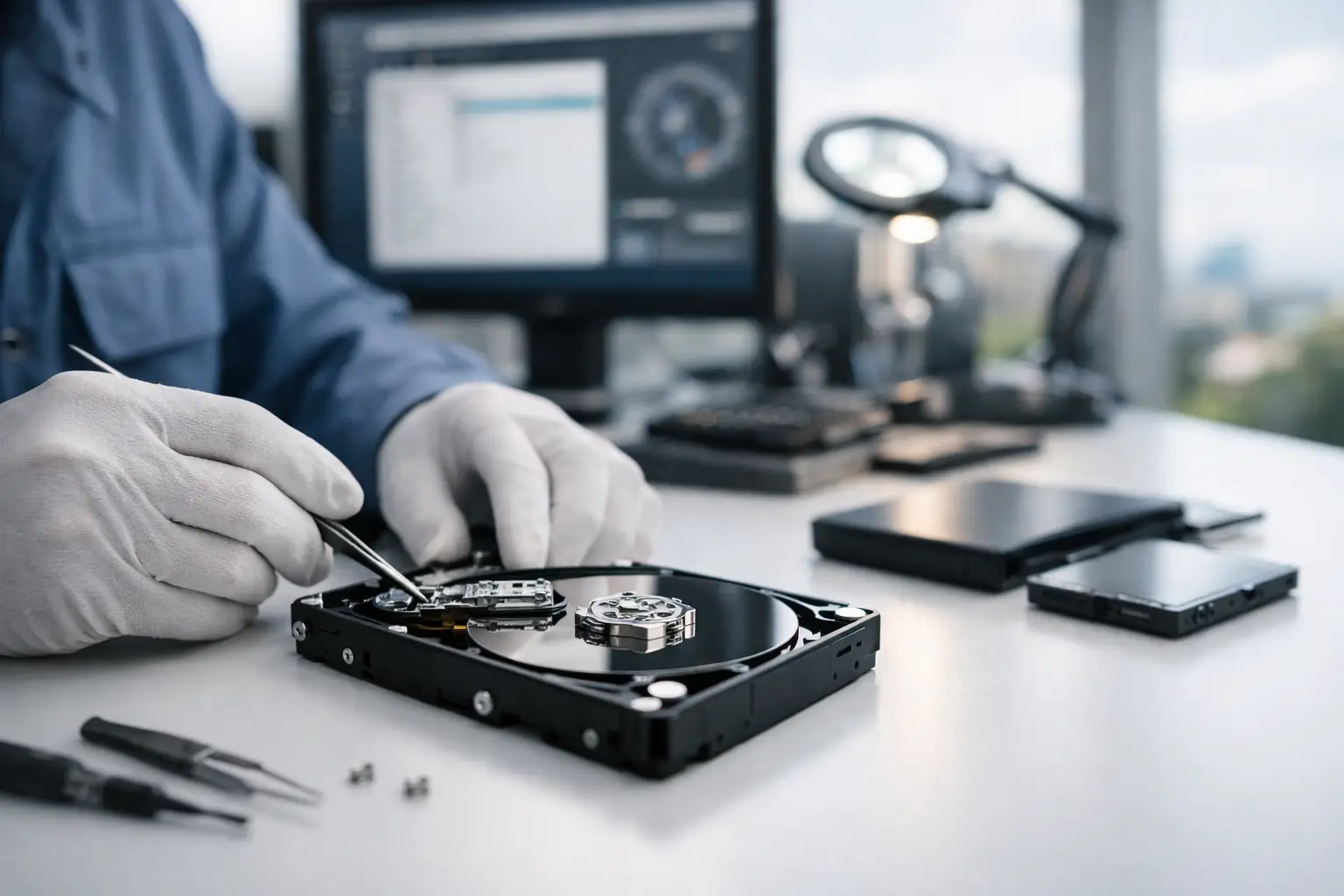
When a drive stops mounting, a laptop starts clicking, or a RAID array suddenly goes offline, the stakes climb fast. Professional data recovery services Canberra customers can rely on are not just about getting files back - they are about protecting business continuity, preserving evidence, recovering irreplaceable photos, and avoiding the damage caused by well-meaning but risky DIY attempts.
Data loss rarely arrives at a convenient time. A sole trader might lose invoices the day before BAS is due. A photographer may find an SD card unreadable after a full shoot. An office server can fail without warning, taking shared folders and project data with it. In each case, the right response in the first hour often makes the difference between a clean recovery and permanent loss.
What professional data recovery services in Canberra actually involve
A proper recovery service does more than run software and hope for the best. It starts with diagnosis. The goal is to identify whether the problem is logical, electrical, firmware-related, or mechanical, because each type of fault needs a different approach.
Logical failures are usually the least invasive. These include deleted files, corrupted partitions, formatted media, damaged file systems, or inaccessible data caused by software errors. In these cases, recovery may be possible without opening the device at all. Even then, experience matters. Writing to the wrong sector, rebuilding the wrong file system, or forcing a drive to stay online can make a recoverable case much harder.
Physical failures are a different category altogether. Traditional hard drives can suffer head crashes, seized motors, platter damage, or PCB faults. SSDs and flash devices often fail in less obvious ways, with controller damage, degraded NAND, firmware faults, or sudden electronic failure. NAS and RAID systems add another layer of complexity because the storage architecture itself has to be interpreted correctly before files can be rebuilt.
That is why professional data recovery services Canberra businesses and households use tend to be device-specific, not one-size-fits-all. The recovery method for a failed MacBook SSD is not the same as the method for a dropped external hard drive or a misconfigured RAID 5 volume.
Why DIY recovery can make things worse
People usually try DIY first for understandable reasons. It feels quicker, cheaper, and more convenient. Sometimes it works, especially for simple accidental deletion on healthy media. But once a device shows signs of hardware trouble, every extra power cycle increases risk.
If a hard drive is clicking, scraping, spinning down, or not being detected properly, recovery software will not fix it. Repeated scans can stress failing heads and damaged platters. The same goes for unstable SSDs that appear briefly and then disappear. Continuing to plug them in can worsen controller failure or reduce the chance of obtaining a complete image.
There is also the issue of overwritten data. Installing recovery tools on the same drive that lost the files, saving recovered files back to the original device, or attempting an operating system repair can overwrite the very data you are trying to save. By the time many customers seek help, the original fault is no longer the only problem.
When to call a specialist instead of trying software
There are some clear signs that specialist help is the safer option. Unusual noises from a hard drive are one. A burnt smell, liquid damage, impact damage, or a device that is not detected at all are others. If a business NAS has gone offline after multiple drive failures or a RAID rebuild has gone wrong, it is best to stop immediately and get the system assessed before any further rebuilding attempts are made.
The same caution applies to phones, memory cards, and USB devices holding important material. If the data matters, the decision should be based on the value of the files rather than the value of the device. Replacing storage hardware is usually easy. Replacing years of business records, family photos, legal documents, or project assets is not.
Professional data recovery services Canberra clients often need most
The strongest recovery providers handle more than standard desktop hard drives. In practice, Canberra customers often need support across a wider mix of personal and business storage.
Hard drive recovery remains common because mechanical drives still power many desktops, laptops, DVRs, and external backup units. These jobs range from accidental deletion to serious physical damage.
SSD recovery is increasingly important, especially with modern laptops and business systems. SSDs can fail suddenly and often without the warning signs people expect from older hard drives. Recovery is possible in many cases, but it requires specific tools and a deep understanding of controller behaviour, encryption, and firmware handling.
NAS and RAID recovery tends to be the most urgent for organisations. These systems store shared business data, so failure can affect an entire team rather than one user. Successful recovery depends on more than individual disks. Array order, stripe size, parity rotation, file system structure, and previous rebuild attempts all matter.
Apple device recovery also deserves separate treatment. Macs, MacBooks, iMacs, and Apple-formatted drives can present challenges around soldered storage, T2 or Apple silicon security features, file system behaviour, and device-specific hardware faults. Camera media, USB flash drives, and portable storage round out the list, especially for photographers, drone operators, content creators, and field workers.
What to expect from a serious recovery process
A dependable service should feel methodical, not vague. The first step is usually an assessment to determine the type of fault and the likely recovery path. From there, the provider should explain whether the issue appears logical or physical, what level of work is required, and what the realistic recovery outlook is.
For physically failing media, the best practice is usually to stabilise the device and create a sector-level image before attempting file reconstruction. This protects the original media from unnecessary stress and lets the technical work proceed from a safer copy. With RAID and NAS recovery, the process may involve imaging multiple member disks, analysing metadata, reconstructing array parameters, and then extracting data from the rebuilt structure.
Clear communication matters throughout. Customers should know what has been found, whether the drive is deteriorating, whether partial recovery is more likely than full recovery, and which files or folders may be recoverable first. In high-pressure cases, that transparency is often just as valuable as speed.
Choosing the right Canberra recovery provider
Not all recovery services offer the same depth. Some only handle software-based jobs. Others accept devices they are not properly equipped to diagnose. If the data is important, it is worth looking for technical breadth across hard drives, SSDs, RAID, NAS, Apple devices, flash media, and physically damaged storage.
It also helps to choose a provider that understands both consumer and business priorities. A home user may care most about family photos and privacy. A business may need to recover finance records, project data, email stores, surveillance footage, or production systems under time pressure. The right service should be able to speak clearly to both situations without oversimplifying either.
Privacy and handling standards are part of that trust. Sensitive personal files, legal material, commercial documents, and internal company data should be treated with care from intake through to return. RecoveryGeeks is one example of a specialist service built around this kind of broad technical capability and practical support for Canberra customers dealing with serious data loss.
What to do before handing over a failed device
The safest immediate action is usually to stop using it. Do not run repair tools, do not initialise a disk that suddenly appears as unallocated, and do not keep rebooting a machine hoping it will come good. If the device has suffered impact or liquid exposure, leave it powered off.
If the issue involves a NAS or RAID, label drives in their current order before removing anything, and avoid reshuffling bays. If it is a memory card or USB device, store it safely and avoid writing anything new to it. Small steps like these preserve the original state and give a technician the best chance of success.
For many Canberra customers, the real value of professional recovery is not just technical skill. It is having someone assess the device properly, explain the risk clearly, and take the next step with confidence instead of guesswork.
If you are dealing with inaccessible files, a failed drive, or a storage system that has suddenly gone dark, the smartest move is often the simplest one - stop, protect the device, and get expert advice before the damage spreads.
