











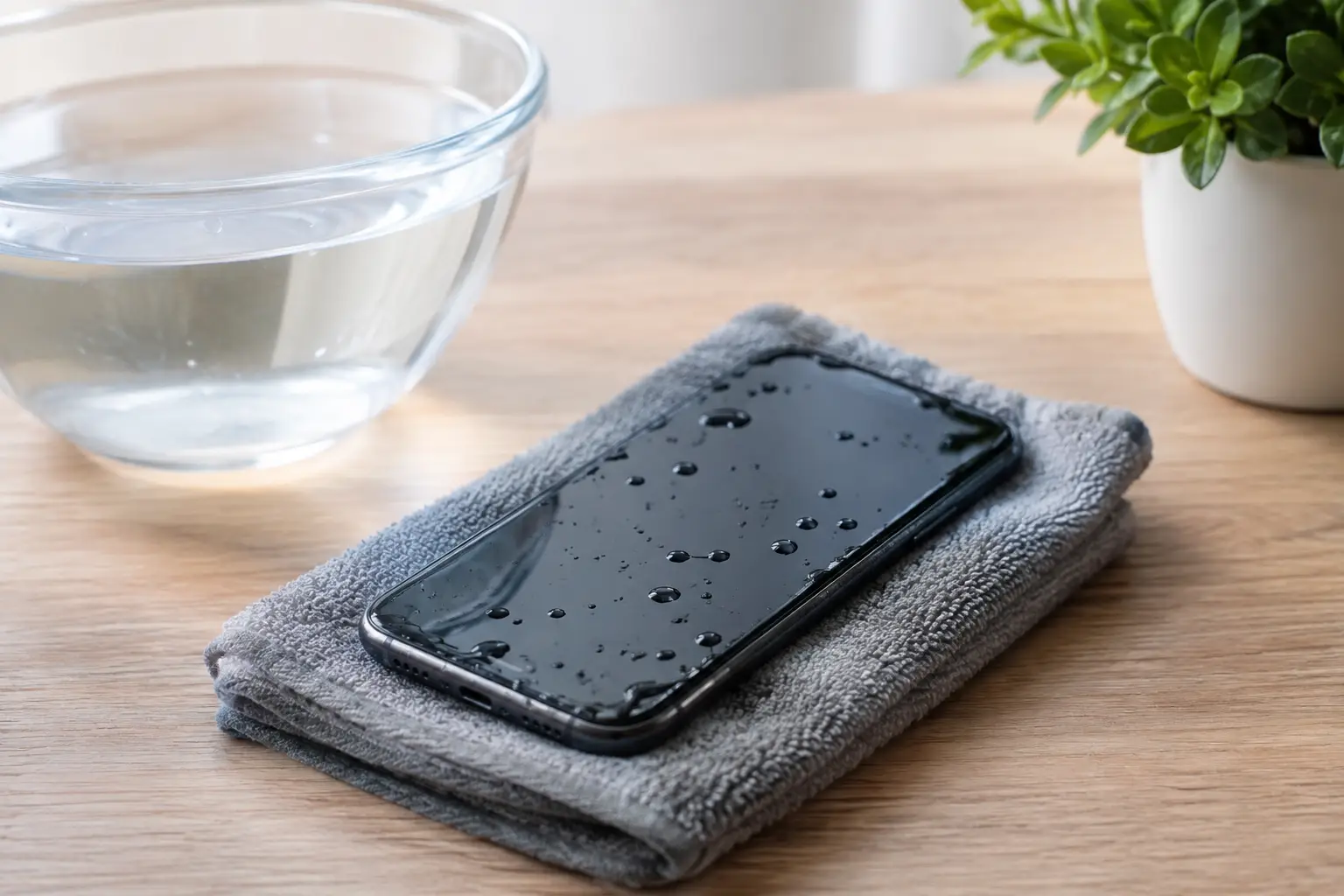
A mobile dropped in the sink, pool or a wet ute tray can become a data emergency in seconds. Knowing how to save waterlogged mobiles is less about a clever drying trick and more about stopping electrical damage before it spreads. The first few minutes can determine whether your photos, messages, work files and authentication apps remain accessible.
Water resistance is not the same as waterproofing. Seals deteriorate with age, impact damage and heat, and a mobile that survived one splash may fail after the next. Treat every immersion seriously, especially if the mobile contains information you cannot replace.
Act immediately: power off and isolate the mobile
If the mobile is on, switch it off straight away. If it is already off, leave it off. Electricity travelling through moisture on the circuit board is a major cause of damage, and repeatedly checking whether the screen still works can make the problem worse.
Do not plug it in, place it on a wireless charger or connect it to a computer. Charging introduces power at precisely the time the device needs none. Avoid pressing buttons unnecessarily, as this can move liquid further into the handset.
Remove the case, SIM tray and any accessible accessories. If the model has a removable battery, remove it only if this can be done normally without forcing the mobile apart. Modern mobiles are usually sealed, so attempting to open one with improvised tools can damage the screen, cables, seals and evidence of where liquid has travelled.
Hold the mobile with ports facing down and gently blot the exterior with a clean, lint-free cloth. Do not shake it vigorously. Shaking can push water from a port or speaker into areas that were previously dry.
How to save waterlogged mobiles without causing more damage
The most common advice after a water incident is also some of the least reliable. Do not put the mobile in rice. Rice does not remove contamination from inside the device, dries too slowly to be dependable and can leave dust or starch in charging ports. It can also create false confidence while corrosion continues inside.
Avoid hair dryers, ovens, heaters and direct sunlight. High heat can warp adhesives, harm batteries, damage displays and drive moisture deeper beneath components. Compressed air is also a poor option because it may force liquid into the microphone, cameras or internal connectors.
A dry, ventilated room is safer than intense heat. Place the mobile on an absorbent cloth with its ports facing downward and allow air to circulate naturally. Silica gel packets in a sealed container may reduce humidity around the device, but they are not a repair method and should not delay professional assessment where the data matters.
If the mobile was exposed to salt water, chlorinated pool water, soft drink, coffee, soapy water or muddy water, the risk is higher than with clean tap water. Once liquid evaporates, minerals, sugar and other residues remain. These residues conduct electricity and accelerate corrosion, so the device may appear to recover briefly before failing days or weeks later.
Understand what water damage can do
A waterlogged mobile does not always fail immediately. Liquid can affect the charging circuit, battery connector, display, microphones, cameras, buttons, storage chips and the main logic board. Corrosion may begin at microscopic points and progressively break connections, making an initially working device unreliable.
This is why a mobile that turns back on after drying should not automatically be considered safe. It may boot but refuse to charge, overheat, restart unexpectedly or lose touch-screen function later. If it does power up on its own after a drying period, do not rush to charge it. Check for heat, flickering, distorted audio, fogged camera lenses or a liquid warning message first.
Lithium-ion batteries require particular caution. A swollen battery, chemical smell, excessive heat, smoke or hissing sound is a safety issue, not a data recovery task. Move away from the device, avoid handling it further and seek appropriate local advice for damaged batteries. Never puncture or compress it.
If the mobile starts again, protect the data first
When a mobile has been properly assessed and can operate safely, data should be the priority. Back up photos, videos, contacts, notes, documents and application data as soon as possible. Confirm that the backup has completed and that important files can be viewed, rather than assuming a cloud service captured everything.
For business users, this may include authenticator applications, client communications, field photos, invoices, messaging attachments and files stored only in a particular app. For photographers and families, it can mean irreplaceable images that were never transferred from the handset.
Avoid a factory reset, operating system update or repeated restart attempts in the hope of fixing the mobile. Those actions rarely resolve liquid damage and may complicate recovery. Do not install cleaning apps or attempt a software repair while the hardware is unstable.
There is an important trade-off here. If the mobile is clearly dry, stable and working normally, a quick backup may be worthwhile. If it is hot, intermittent, showing display faults or reporting moisture in the charging port, stop using it. Continued operation can turn a repairable fault into extensive board damage.
When professional assessment is the sensible next step
Professional help is recommended when the mobile will not turn on, has been exposed to contaminated water, contains critical data, or behaves inconsistently after the incident. It is also sensible where a device has already spent time charging or running while wet.
A specialist can inspect the device for liquid residue and corrosion, clean affected areas using appropriate methods, assess battery condition and identify damaged components. The aim is not always to return the handset to everyday use. Where the information is the priority, the objective may be to make the original mobile functional long enough to access and copy its data safely.
Modern iPhones and Android mobiles commonly encrypt their internal storage. That means data recovery often depends on repairing the original device sufficiently for it to boot and be unlocked with the correct passcode. Simply moving a memory chip to another board is generally not a practical shortcut. This is why DIY repairs, incorrect replacement parts and repeated power attempts can reduce the available recovery options.
RecoveryGeeks provides expert professional data recovery support for customers facing device and storage failures, including cases where valuable information is inaccessible after liquid damage. For Canberra customers and those sending devices from elsewhere in Australia, early action gives technicians the best possible starting point.
What to bring or record for assessment
Do not spend time trying every online remedy before seeking assistance. Instead, keep the mobile powered off and note what happened: the type of liquid, how long the mobile was submerged, whether it was switched on, whether it was charged afterwards, and any symptoms you noticed. This information helps determine likely damage and the safest first steps.
If possible, provide the passcode or ensure the person who knows it is available. Without a valid passcode, data stored on an encrypted mobile may remain inaccessible even after successful hardware repair. Also bring any relevant charging cable, but do not connect it before the device has been checked.
Prevent the next water-related data loss
A waterproof pouch is worthwhile for boating, fishing, camping and beach trips, but prevention is also about backups. Enable automatic photo backup where appropriate, periodically copy essential files to a separate location and make sure important workplace data is not stored solely on one mobile. A backup that has never been checked is only a hopeful assumption.
For now, resist the urge to test a wet mobile. Power it down, keep it dry, avoid heat and charging, and act quickly if the data matters. That calm response gives both the mobile and its contents the best chance of recovery.
