











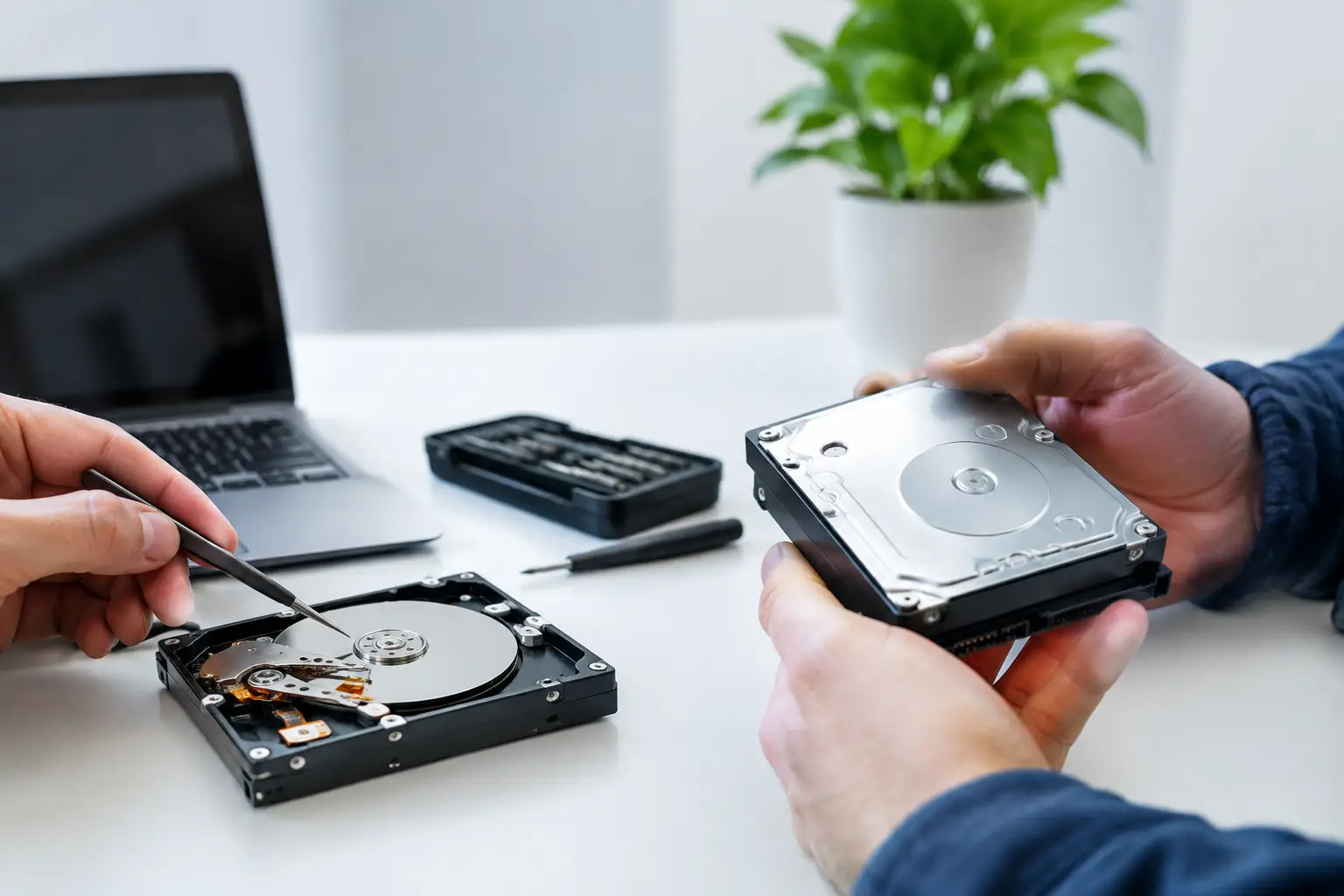
Your external hard drive starts clicking just before a client deadline. Your NAS reports a degraded volume. Your laptop asks to format a drive containing years of photos. In each case, the first decision matters: data recovery versus drive repair is not simply a choice between two technical services. It determines whether the priority is preserving irreplaceable files or returning hardware to use.
For anyone facing data loss, the safest rule is straightforward: if the information matters more than the device, protect the data first. Attempts to repair, reinstall, format or keep using a failing drive can turn a recoverable problem into permanent loss.
What is the difference between data recovery and drive repair?
Data recovery is the process of retrieving files from storage media that is deleted, corrupted, inaccessible or physically failing. The goal is to copy recoverable data to a separate, healthy device. A successful recovery does not necessarily mean the original drive is safe to use again.
Drive repair focuses on making a device or its storage structure functional. That might involve replacing a component, repairing a file system, rebuilding a RAID configuration, reinstalling an operating system or correcting a logical fault. The outcome is often a usable device, but repair work can write new information to the media or alter the structures needed to recover files.
That distinction is critical. A drive is replaceable. The only copy of family photographs, accounting records, design work or research data may not be.
When data recovery should come first
Data recovery should be the priority when files are valuable, there is no verified backup, or the drive shows signs of physical failure. Physical symptoms include clicking, beeping, grinding, repeated spin-up and spin-down, overheating, a burning smell, or a drive that is not detected at all. SSDs may fail without noise, instead disappearing from a computer, reporting the wrong capacity or becoming permanently read-only.
In these circumstances, do not run repair utilities, initialise the disk, reformat it or repeatedly restart the device hoping it will appear. Each power cycle can place further strain on damaged hardware. Software that promises to fix the drive may also modify file system metadata, which can reduce the chance of a complete recovery.
Recovery also comes first when the failure is logical rather than mechanical. Accidental deletion, a formatted SD card, a corrupted partition, ransomware damage and an inaccessible encrypted volume may all leave data present on the media. However, continuing to save files, install recovery software or use the affected device can overwrite the very data you need.
For a business system, the stakes rise quickly. A degraded RAID or NAS can appear to work while silently placing the remaining drives under heavy load. Rebuilding the array without confirming the cause of failure can overwrite parity or change the disk order. Where business records, shared projects or operational systems are involved, it is usually wiser to preserve the current state and seek specialist assessment before attempting a rebuild.
When drive repair is the sensible option
Drive repair can be appropriate where the data is already backed up and the goal is to restore normal operation. For example, a laptop with a current cloud backup may need an operating system repair, a new SSD or a replacement hard drive rather than specialist recovery. If a USB cable, power supply, enclosure or port is the fault, replacing that external component may restore access without touching the drive itself.
Repair is also reasonable after data has been successfully recovered. A technician may be able to identify whether the original issue was an enclosure fault, a damaged connector or a software problem. Even then, a repaired hard drive should not automatically return to service as the sole location for important files. Media that has shown signs of failure has already earned less trust.
The key question is not, “Can this drive be repaired?” It is, “What could be lost if the repair attempt does not go to plan?” If the answer is anything difficult or impossible to replace, recovery should lead the process.
Why repairs can put recoverable data at risk
Some repair actions are harmless when performed on a non-critical, backed-up device. On a drive holding the only copy of vital data, they carry real risk. File system repair tools can remove records they interpret as damaged. Reformatting creates new file system structures. Reinstalling an operating system writes extensively to the disk. A RAID rebuild can change the contents of multiple drives at once.
Physical repairs are even more specialised. A hard drive with internal mechanical damage may require controlled handling and compatible donor parts. Opening a hard drive outside an appropriate clean environment exposes its platters to contamination. Replacing a drive’s circuit board without transferring or matching its unique firmware data can stop access altogether.
SSDs have their own complexities. Modern solid-state drives use wear levelling, encryption, controller-managed translation tables and background maintenance. A failed SSD may not behave like a hard drive with a simple bad sector issue. The correct approach depends on the controller, firmware state and how the device has failed.
A practical response to a failed drive
The first few actions after a storage failure can protect your recovery options. If the device is making unusual noises, is not detected, has suffered liquid or impact damage, or is extremely hot, turn it off and leave it off. Do not place it in a freezer, open the casing or tap it in an attempt to make it work.
If the device is still accessible, stop using it for normal work. Do not save new files to it. Make a note of what happened, including error messages, the device type, whether it was encrypted and any RAID or NAS configuration details. This information helps establish the likely failure type.
For a desktop drive or external drive, check only the low-risk external factors: a known-good cable, power adaptor, port and computer. If it becomes accessible, copy the most essential files first to a separate device. Do not mistake temporary access for a healthy drive.
For phones, cameras and memory cards, avoid taking more photos or recording more video. New data can overwrite deleted material. For a RAID, do not remove multiple drives, shuffle their order or accept automatic rebuild prompts until the array has been assessed.
Data recovery versus drive repair for common scenarios
A deleted folder on a working computer may be a recovery case, especially if the files have not been overwritten. A laptop that will not boot but has a healthy internal drive may be a repair case if a backup exists, or a recovery case if it does not.
A clicking hard drive is normally a recovery-first situation. A failed external enclosure may be a repair-first situation, but only after confirming the actual drive has not been affected. An SD card asking to be formatted should be treated as a recovery issue until the images or footage are safely copied elsewhere.
With NAS and RAID systems, the answer is rarely as simple as replacing the drive that reports an error. The right path depends on RAID level, the number of failed disks, controller status, encryption, previous rebuild attempts and whether the data is current elsewhere. This is where a specialist diagnosis can prevent a routine fault from becoming a multi-drive data loss event.
Choose the outcome you actually need
It is understandable to focus on getting a device running again. When work stops or precious files disappear, restoring normality feels urgent. But a repaired drive is not always the best outcome, and it is not always the safest first step.
Decide what has greater value: the hardware, the files, or both. If your files are the priority, treat the media carefully and seek professional assessment before any action that writes to it or dismantles it. RecoveryGeeks provides expert professional data recovery for failed hard drives, SSDs, RAID and NAS systems, Apple devices, cameras and other storage media across Canberra and Australia.
A replacement drive can be purchased quickly. Give irreplaceable data the careful first response it deserves.
