











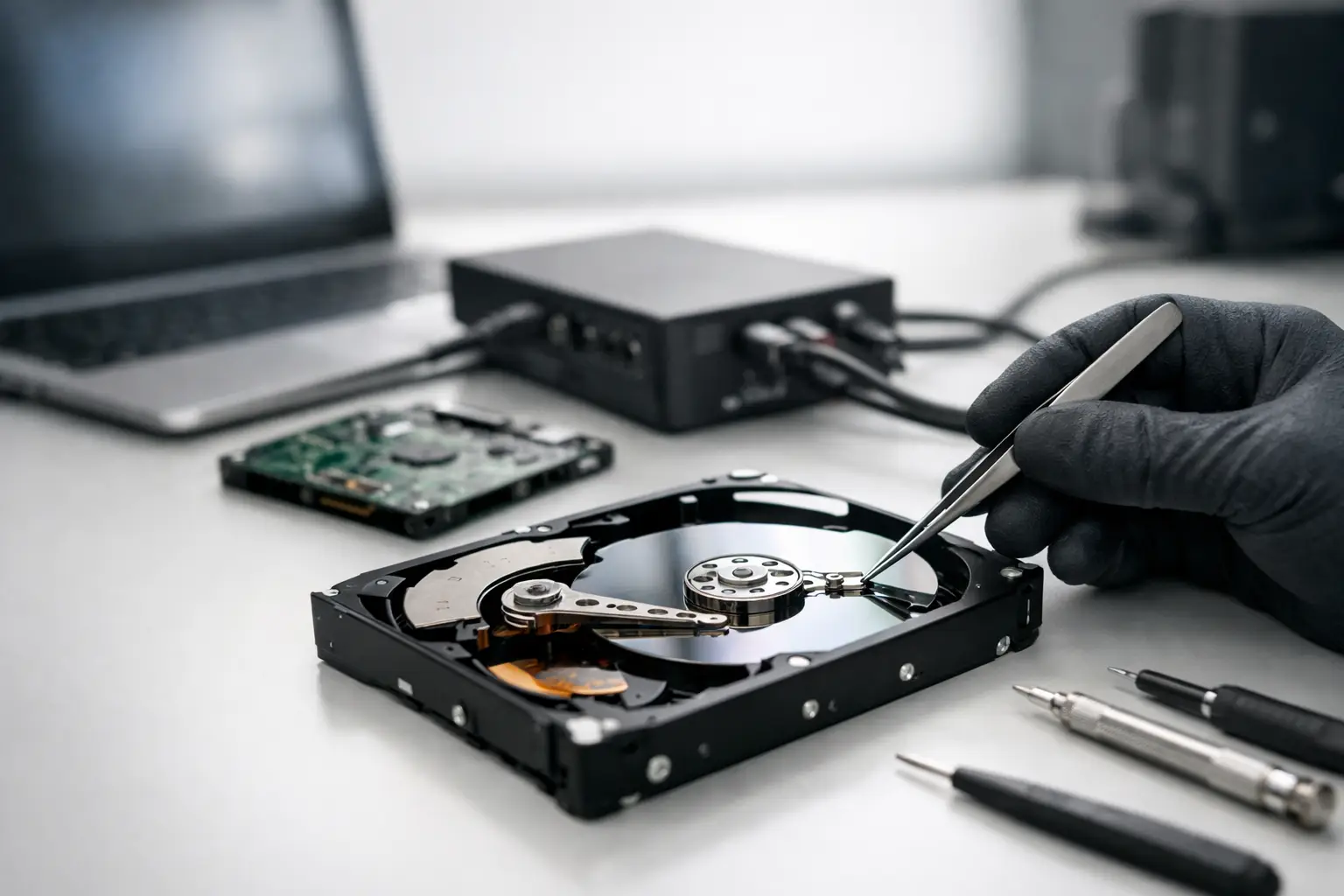
That moment when a hard drive stops spinning, starts clicking, or simply vanishes from your computer is usually when the search for the best hard drive data recovery service begins. For most people, the issue is not the drive itself. It is the family photos, tax records, client files, project archives, or business data sitting on it. Choosing the wrong provider can turn a recoverable fault into permanent loss, so the decision matters.
What makes the best hard drive data recovery service?
The short answer is technical capability, honest assessment, and a process that protects the device from further damage. A good recovery service does not make inflated promises or suggest risky quick fixes before properly diagnosing the fault. It explains what has likely failed, what the recovery path looks like, and what factors affect the chances of success.
Hard drives fail in different ways. Some have logical damage, where files are deleted, partitions are corrupted, or the file system is unreadable. Others have firmware issues, damaged heads, seized motors, scratched platters, or printed circuit board faults. These are not interchangeable problems, and they should not be treated the same way. The best provider is the one that can identify the exact failure type and apply the right method rather than taking a one-size-fits-all approach.
For Canberra customers and those sending devices from elsewhere in Australia, service accessibility also matters. A specialist should have a clear intake process, realistic turnaround options, and secure handling from start to finish.
Why the cheapest option is rarely the safest
Data recovery is one of those services where low pricing can hide serious shortcuts. If a provider lacks proper imaging tools, donor parts access, clean work procedures, or experience with specific drive families, the job can become far more difficult after a failed attempt. That is especially true with physically damaged drives.
A hard drive with head failure, platter contamination, or internal mechanical damage should never be treated like a simple software problem. Running generic recovery software on a failing drive can stress it further. Repeated power cycling can do the same. In some cases, each additional attempt reduces what can still be recovered.
That does not mean the highest quote is automatically the best one either. It means value should be judged by capability, transparency, and the likelihood of preserving the drive’s remaining recoverable data.
Signs you need a professional hard drive recovery service
Some failures are obvious. Others are subtle enough that people keep trying to use the drive until it worsens. If the drive is making clicking, grinding, or buzzing sounds, stop using it immediately. If it appears in BIOS sometimes but not consistently, becomes unusually slow, asks to be formatted, or shows folders that open with errors, professional assessment is the safer move.
External hard drives often create a false sense that the issue is minor because they are portable and common. In reality, many portable units are more vulnerable to drops, cable strain, power faults, and accidental unplugging during writes. Desktop drives in business environments can also fail without warning, particularly after overheating, power instability, or age-related wear.
If the lost data has personal, legal, academic, or business value, it usually makes sense to stop experimenting early.
How professional recovery actually works
A proper recovery process starts with diagnosis, not guesswork. The drive is assessed to determine whether the fault is logical, electrical, firmware-related, or mechanical. From there, the technician decides whether the safest path is sector-by-sector imaging, board-level work, firmware repair, or internal mechanical intervention.
For logical faults, the goal is often to stabilise access long enough to create a full clone or image before file reconstruction begins. For physical faults, the drive may require controlled internal work and replacement parts from compatible donor drives. Once a stable image is captured, file system repair and data extraction are performed from that image rather than from the failing original where possible.
This distinction is important. Reputable providers aim to minimise direct stress on the damaged source drive. That approach improves the odds of recovering priority files even when the original media is deteriorating.
Clean room claims and what they should mean
Many customers look for a clean room because they know hard drives are sensitive to dust and contamination. That is sensible, but the term is often used loosely. What matters is whether the provider has an appropriate controlled environment and the tools and experience to carry out internal drive work safely.
The presence of a clean work area alone does not guarantee good results. It must be matched with technical skill in head swaps, firmware access, platter handling, imaging of unstable media, and model-specific recovery procedures. A provider should be able to explain this in plain terms without relying on vague buzzwords.
Questions to ask before choosing the best hard drive data recovery service
A worthwhile provider should be comfortable answering practical questions. Ask whether the drive will be diagnosed before recovery begins, whether there is a no-data-no-fee policy in some cases, what the likely turnaround is, and how recovered data will be returned. Ask whether they handle physical hard drive failures in-house or send them elsewhere.
It is also reasonable to ask about privacy and security. Drives often contain financial documents, employment files, medical records, intellectual property, or personal media. The best service will treat confidentiality as part of the core job, not as an afterthought.
If you are a business customer, ask about priority handling, communication during the job, and whether they can work with NAS or RAID-related hard drive issues as well. Many business incidents involve more than a single failed disk.
Consumer drives and business drives are not the same job
A home user with a dropped external USB drive and a business with a failed server volume may both be searching for the same thing, but their recovery needs are different. Home users often need irreplaceable personal files back and want a clear, low-stress process. Businesses usually need minimal downtime, structured communication, and a provider that understands the wider storage environment.
That is why broad device expertise matters. Hard drive recovery experience is essential, but so is understanding SSDs, NAS units, RAID arrays, Apple devices, and removable media. Data loss problems often overlap across systems. A specialist service with category depth can interpret the bigger picture faster and avoid missteps.
For that reason, many customers choose a specialist such as RecoveryGeeks when they need a provider that can handle both straightforward drive failures and more complex storage scenarios.
Red flags that should make you pause
Be cautious if a provider guarantees full recovery before seeing the drive. No credible technician can promise that with certainty, especially with head crashes, platter damage, or severe firmware corruption. Be equally cautious if the only solution offered is to run software remotely, regardless of symptoms.
Another warning sign is poor explanation. You do not need a lecture in engineering, but you should receive a clear description of the likely fault, the next step, and the commercial terms. If pricing is vague, chain of custody is unclear, or communication feels evasive, keep looking.
A good service is also careful about expectations. Sometimes a drive can be partially recovered, with priority folders intact but damaged files elsewhere. Sometimes the drive’s condition means the first goal is securing the most critical data rather than every last sector. Honest providers say that upfront.
What to do before you send in a failed hard drive
Do as little as possible. Do not open the drive. Do not freeze it. Do not tap it, shake it, or keep reconnecting it to see if it magically appears. Internet folklore has destroyed plenty of recoverable drives.
If the drive is still detected and the data is not mission-critical, there may be limited situations where advice differs. But when the data truly matters, especially if there are unusual sounds or access instability, the safest step is to power it down and seek specialist assessment. Pack it securely, avoid static exposure, and provide a clear note about what happened, what the drive was used for, and which files matter most.
That last point helps more than people realise. Recovery priorities can shape the approach, especially where the media is unstable and time on the source drive needs to be tightly managed.
The right service is the one that protects your chances
The best hard drive data recovery service is not the one with the flashiest claim or the fastest sales pitch. It is the provider that understands failure at device level, communicates clearly, and treats your data as the real asset at risk. When a drive fails, every decision after that can either preserve your chances or reduce them.
If you are choosing under pressure, keep it simple. Look for proven technical depth, realistic advice, secure handling, and experience with the type of drive and failure you are dealing with. A calm, capable recovery process is often what stands between a damaged hard drive and the files you thought were gone for good.
